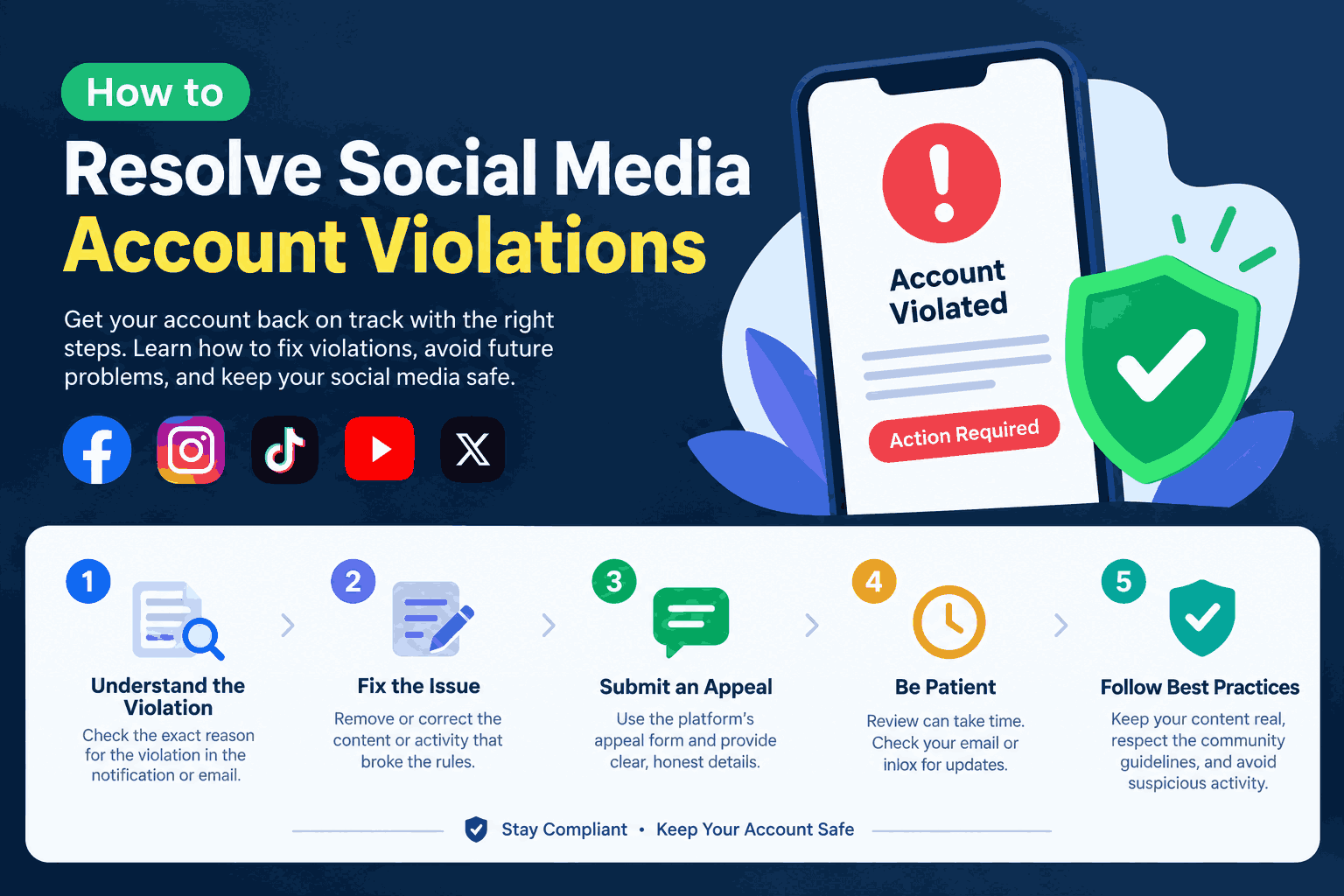
The good news is that most social media account violations can be fixed if you act quickly and follow the right steps. Many restrictions are temporary, and a large share of suspensions are reversed after a proper appeal.
In this guide, you'll learn why accounts get flagged, the exact steps to recover your account on Instagram, Facebook, TikTok, YouTube, X and LinkedIn, a ready-to-use appeal message, and how to stay safe going forward. For more practical social media growth and safety tips, explore the guides on AccountViral.
Why Do Accounts Get Restricted or Suspended?
Before you try to fix anything, find out what triggered the action. Every platform uses automated systems that scan for patterns that break its community guidelines. These systems work fast, but they are not perfect, and real users get caught by mistake every day.
Spam Activity
Spam filters watch how fast you act. Following hundreds of people in an hour, leaving the same comment on many posts, or sending the same DM to strangers all look like bot behavior. Even a real person can trip these limits on a busy day. Spread your activity out and write personal comments instead of copy-paste messages.
Fake or Low-Quality Engagement
Platforms track where your likes, followers and comments come from. A sudden jump from inactive, empty or newly created profiles looks unnatural, and the system may hide your posts or restrict your account. Fake engagement can also cause an engagement drop later, because those profiles never interact with your content again. Real, gradual growth is always safer.
Automation Tools
Apps that auto-follow, auto-like, auto-comment or schedule DMs often need your login details. Platforms can detect them easily, and many treat them as a direct policy violation. Stick to official tools, such as Meta Business Suite or the built-in schedulers on TikTok and YouTube.
Copyright Issues
Using music, clips, images or fonts you don't own can lead to removed posts, muted videos or a copyright strike. Use the free sound libraries inside each app, or content you have the rights to.
Harmful or Sensitive Content
Posts with hate speech, nudity, violence, dangerous challenges or false health claims are removed quickly. Repeated removals can turn into a temporary ban or permanent ban.
Impersonation and Fake Details
Using another person's name or photo, or pretending to be a brand, is a serious violation. Fake names or details can also trigger identity verification checks.
Hacked Accounts and Mass Reporting
If someone breaks into your account and posts scam links, the platform may suspend it to protect others. In other cases, a group of users may report your profile all at once, even if you did nothing wrong. Both situations can usually be fixed with a clear appeal.
How to Fix Social Media Account Violations on Every Platform
Not every platform is equally strict. Instagram and Facebook see the highest number of restrictions because Meta's automated systems scan billions of posts, comments and DMs every day, and they react quickly to spam and sudden follower spikes. TikTok follows closely with its strike system, which can ban accounts after just a few removed videos. YouTube is strict about copyright and community guidelines strikes, while X and LinkedIn mostly lock accounts for unusual activity or security concerns. Business pages, creators and brand-new accounts are flagged more often than older personal profiles, so they need extra care. Below is a clear recovery plan for each platform.
Instagram Account Restricted? Here's How to Get It Back
Instagram is one of the strictest platforms when it comes to spam and fake activity. A restriction can block you from following, commenting or sending DMs, while a suspension or disabled account locks you out completely. The good part is that Instagram gives you clear tools to check what went wrong and ask for a review.
Why Instagram Flags Accounts
Most Instagram problems come from a few habits: following and unfollowing too fast, using the same hashtags on every post, sending bulk DMs, logging in from third-party growth apps, and gaining many followers from inactive profiles in a short time. Reposting other creators' videos without permission and using copyrighted music outside Instagram's library also lead to removed posts. If you avoid these habits, you remove most of the risk before it starts.
Check Your Account Status
Go to Profile > Menu > Settings > Account Status. This page shows removed posts, features you can't use, and whether your content is hidden from people who don't follow you. Take a screenshot before you do anything else, because you may need it for your appeal.
Clean Up Your Profile
Remove any posts, stories or bio links that may break the rules. Disconnect third-party apps under Settings > Apps and websites, and change your password if you shared it with any growth tool. A clean profile makes your appeal much more convincing.
Request a Review
For a removed post, tap it inside Account Status and choose Disagree with decision. For a disabled account, open the app and follow the appeal prompt on the login screen. Instagram usually gives you a limited window to appeal, so don't wait.
Complete Identity Verification
Instagram may ask for a short selfie video or a photo of your ID. Use good lighting and make sure your face or document is clear. This step is common and doesn't mean you're in serious trouble.
Fix a Shadowban
If your posts stop showing in hashtags or Explore, take a three to five day break from heavy posting, stop using broken or banned hashtags, and check Account Status for content marked as not eligible for recommendation. Your reach usually returns once activity looks natural again.
Recovering a Suspended or Disabled Facebook Account
Facebook issues cover more than just your personal profile. A problem can affect your Pages, Groups, Marketplace access or ad account, and sometimes one flagged profile restricts everything connected to it. Since Facebook and Instagram share Meta's systems, many warnings now appear in the Meta Accounts Center too.
Why Facebook Flags Accounts
Facebook commonly restricts accounts for using a fake or nickname-style name, posting the same link in many Groups, sending too many friend requests to strangers, running ads that break advertising rules, and selling banned items on Marketplace. Hacked accounts posting scam links are another big cause. Using your real name, posting naturally and keeping your login secure will protect you from most of these problems.
Read the Notice Carefully
Log in and open the restriction or suspension message. It usually tells you which rule was broken and what you can still do. Note the date and take a screenshot.
Secure Your Account First
If you think someone else accessed your account, go to facebook.com/hacked before appealing. Change your password, remove unknown devices and turn on two-factor authentication.
Request a Review
Click Disagree with decision or Request review on the notice and follow the steps. Keep your explanation short and honest, and avoid sending the same appeal many times.
Verify Your Identity
Facebook may ask for a photo of an official ID, such as a national ID card, passport or driving licence. The name should match your profile, so this is where a real name really helps.
Check Business and Ad Restrictions
If you run a Page or ads, open Business Support Home to see restrictions on ad accounts, Pages or Business Managers. Each one may need its own account review.
Removing TikTok Strikes and Bans Step by Step
TikTok works on a strike system. Each removed video or comment can add a strike, and too many strikes in a short time can lead to a temporary ban, a feature limit, or a permanent ban. The upside is that strikes usually expire after a set period, so a clean record over time helps your account recover.
Why TikTok Flags Accounts
The most common reasons are dangerous challenges, content that shows minors in unsafe situations, misleading health or money claims, reposting other people's videos, and spammy comments or follow activity. Using unlicensed music in business accounts also causes problems. Posting original content and using TikTok's own sound library keeps you on the safe side.
Check Account Status
Go to Profile > Menu > Settings and privacy > Account > Account status. You'll see active strikes, removed videos and any limits on your account.
Find the Violation Notice
Open Inbox > System notifications. The notice explains which video or comment was removed and which rule it broke.
Submit an Appeal
Tap the notice and choose Submit an appeal. Explain in one or two lines why the content follows the community guidelines. TikTok restores many videos after review.
Appeal a Banned Account
If you can't log in, use the appeal option shown on the login screen. Provide the email or phone number linked to the account so TikTok can confirm you're the owner.
Clean Up Risky Content
While you wait, delete or set to private any older videos that could earn new strikes. Fewer risky posts means a safer account in the long run.
Dealing With YouTube Warnings and Strikes
YouTube separates problems into three types: warnings, community guidelines strikes and copyright strikes. Each one is handled in a different way, and knowing the difference saves you a lot of stress. The key rule to remember is that three strikes within 90 days can terminate a channel.
Why YouTube Flags Channels
Channels are usually flagged for reuploading other creators' videos, using copyrighted music or movie clips, misleading thumbnails and titles, harmful or dangerous content, and spam in comments or descriptions. Buying views from bots can also lead to removed views or a channel review. Creating original content and using the YouTube Audio Library keeps most channels safe.
Check YouTube Studio
Open YouTube Studio and look at your notifications and the Content tab. Flagged videos are clearly marked with the reason.
Take the Policy Training for a Warning
First-time issues often come as a warning, not a strike. YouTube may offer a short policy training. Completing it can help remove the warning after a set period.
Appeal a Community Guidelines Strike
If you believe the decision was wrong, use the Appeal option next to the strike in YouTube Studio. Explain why the video follows the rules and add useful context.
Handle a Copyright Strike
You can contact the person who claimed the video and ask them to retract it, wait for the strike to expire, or file a counter notification if you truly own the rights. Only file a counter notification when you're sure, since it is a legal process.
Unlocking a Limited or Suspended X (Twitter) Account
X uses three main actions. A locked account needs a quick security check, a limited account has reduced reach or features, and a suspended account is blocked until an appeal is approved. Most locks are solved in minutes, while suspensions take longer.
Why X Flags Accounts
X mostly reacts to aggressive following, posting the same reply to many users, sharing suspicious links, coordinated posting from several accounts, and abusive replies. Logins from new countries or devices can also trigger a security lock. Posting naturally and keeping your phone number and email updated prevents most of these issues.
Pass the Security Check
If your account is locked, log in and follow the prompts to confirm your phone number or email. Access usually returns right away.
Delete the Flagged Post
If X asks you to remove a post, deleting it often restores full access after a short waiting period.
Appeal a Suspension
For a suspension, submit an appeal through the X Help Center suspension form. Keep it short, polite and specific about why you believe the decision was a mistake. If you were hacked, say so clearly and confirm that you now control the account.
Getting Your Restricted LinkedIn Account Back
LinkedIn is a professional network, so it cares a lot about real identities and genuine connections. When it notices something unusual, it usually restricts the account and asks you to confirm who you are. For job seekers and sales teams, quick recovery is important.
Why LinkedIn Flags Accounts
The usual causes are sending too many connection requests in a day, a high number of ignored or declined invites, copy-paste outreach messages, browser extensions that scrape profiles or automate messages, and fake job titles or photos. Sending personal, targeted requests and using real profile details keeps you safe.
Verify Your Identity
Follow the on-screen steps to upload a government ID. LinkedIn checks that the name matches your profile, then lifts the restriction if everything looks right.
Contact LinkedIn Help
If no verification option appears, use the LinkedIn Help contact form and explain your situation briefly.
Slow Down Your Outreach
Once access returns, remove automation extensions, send fewer connection requests each day, and add a short personal note to each one.
Quick Guide: Where to Appeal on Each Platform
Instagram: Check your restrictions under Settings > Account Status. To appeal, tap "Disagree with decision" or follow the appeal prompt on the login screen. The most common reasons are spam activity and fake engagement.
Facebook: Look for the notice when you log in, or check the Meta Accounts Center. To appeal, click "Request review" and upload your ID if asked. Accounts are usually flagged for breaking Community Standards or after being hacked.
TikTok: Go to Settings > Account > Account status to see your strikes. To appeal, open the violation notice and tap "Submit an appeal." Most problems come from strikes on videos.
YouTube: Check YouTube Studio for warnings and strikes. You can appeal directly in Studio, or file a counter notification for a copyright claim. The usual causes are community guidelines strikes and copyright strikes.
X (Twitter): You'll see the notice when you log in. To appeal, use the suspension form in the X Help Center. Accounts are mostly flagged for spam or locked for security reasons.
LinkedIn: The notice appears when you log in. To fix it, complete ID verification or contact LinkedIn through the Help form. Common reasons are unusual activity and fake profile details.
Sample Appeal Message You Can Use
Hello [Platform] Support Team,
My account [@username] was [restricted / suspended] on [date]. I believe this was a mistake, as I have followed the community guidelines. [If hacked: My account was hacked, but I have now secured it with a new password and two-factor authentication.]
Please review my account and restore access.
Thank you,
[Your name]
[Email or phone linked to the account]
How to Avoid Future Restrictions
The easiest way to deal with social media account violations is to stop them before they happen. These habits keep your profile safe on every platform.
Turn on two-factor authentication so hackers can't take over your account and post harmful content.
Grow slowly and naturally. Sudden jumps in followers or likes from inactive profiles can trigger spam filters and cause an engagement drop.
Avoid unapproved automation apps that follow, like or comment for you.
Use original or licensed content to avoid copyright claims.
Read the platform guidelines at least once, especially if you run a business or creator account.
Check Account Status regularly on Instagram, TikTok and YouTube so you catch warnings early.
Keep your contact details updated so account recovery emails and codes reach you.
Want more tips to grow your profile the right way? Read our latest social media growth guides on AccountViral.
Frequently Asked Questions
How long does an account review take?
Most platforms reply within 24 hours to a few days. Some appeals, especially for disabled accounts, can take up to a few weeks.
Can a permanently banned account be recovered?
It's harder, but sometimes possible if the ban was a mistake. Submit one clear appeal with proof and wait. Repeated appeals rarely help.
Should I create a new account while my main one is suspended?
No. Most platforms treat this as ban evasion, which can make your original account harder to recover.
What is a shadowban, and how do I remove it?
A shadowban means your content is hidden from people who don't follow you. Remove any flagged posts, stop using banned hashtags and take a short break from heavy posting.
Why was my account disabled for no reason?
Automated systems sometimes flag accounts by mistake, or someone may have accessed your account. Change your password, secure your account and appeal.
Final Thoughts
Getting flagged is stressful, but it's rarely the end of your account. Check the reason, use the right appeal path for your platform, and send a calm, clear message. Once you're back, protect your profile with strong security and natural growth habits. Following these steps makes social media account violations far less likely to happen again.
Bookmark this guide and visit AccountViral for more tips on growing and protecting your social media presence.